Speech-to-Text and Text-to-Speech | Elementary

Concept sheet | Science and Technology

This concept sheet will help you learn more about speech-to-text and text-to-speech functions, the role of AI in these technologies, and how they can help you learn.

Speech-to-text and text-to-speech are technologies that let you interact with computers and other electronic devices.

  • Speech-to-text (STT) (also known as speech recognition) converts spoken words into text.
  • Text-to-speech (TTS) converts text into an artificial voice.
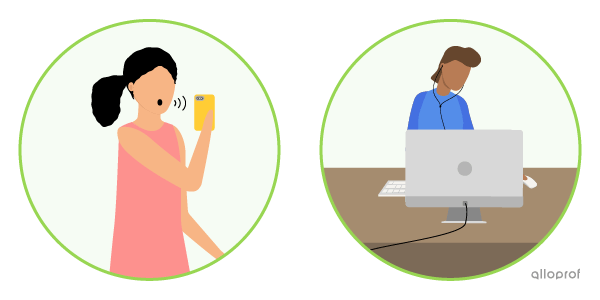
A girl uses the speech-to-text function on her cell phone. A boy uses the text-to-speech function on his computer.
Examples

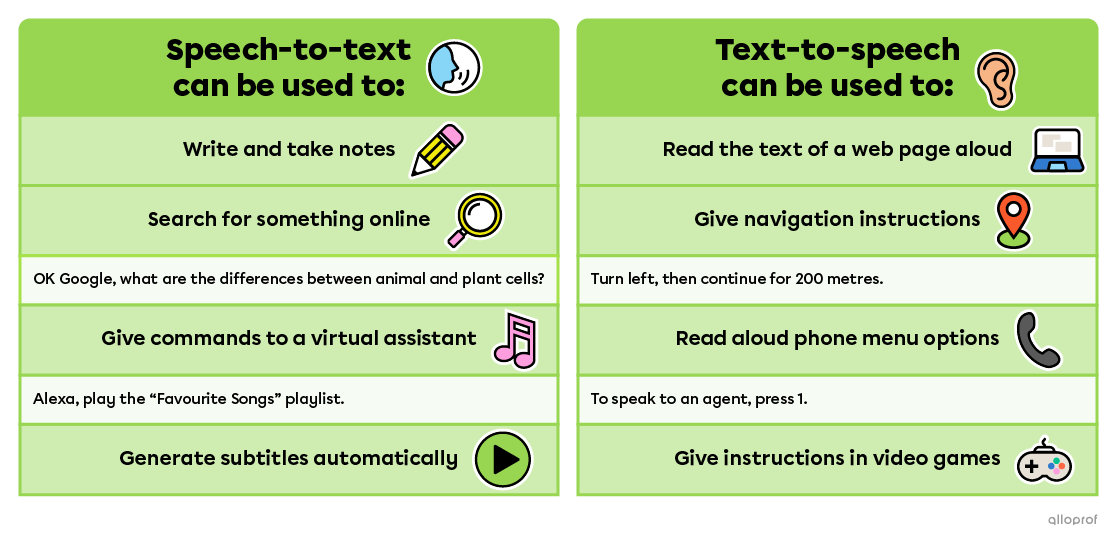
Here are some situations where these technologies can be useful.

Speech-to-text features can be found in writing and note-taking apps, search engines and virtual assistants, and videos that provide automatic caption generation. Text-to-speech features can be found in screen readers and web pages, GPS navigation applications, video games, and telephone menus.

What Role Does AI Play in These Technologies?

Most speech-to-text and text-to-speech technologies use artificial intelligence (AI). Here’s how it works.

How Speech-to-Text Works

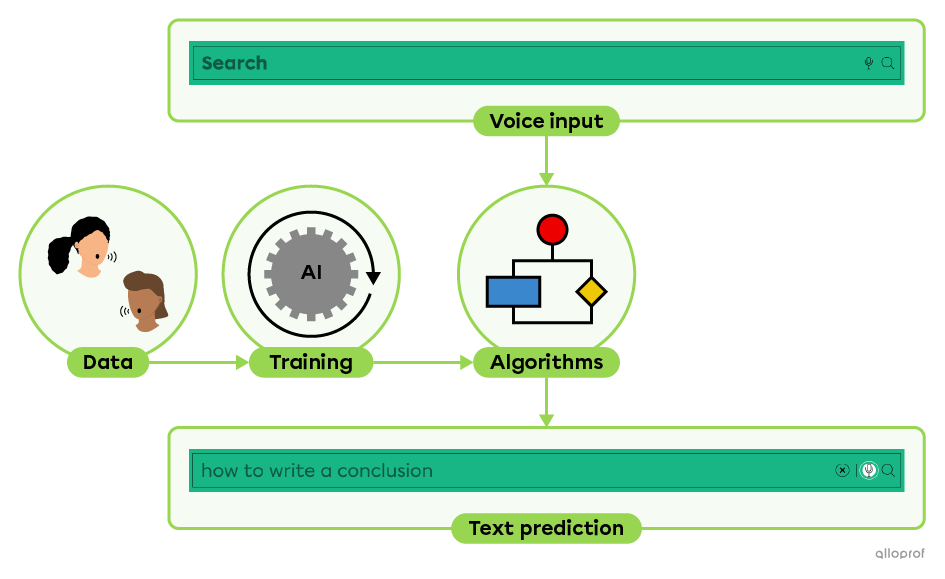
  1. A very large amount of royalty-free text and human speech data is collected.
  2. The AI uses the data to train itself to associate sounds with written text.
    For example, AI learns that the words write and right aren’t spelled the same way. The more data the AI has to train on, the more accurate it becomes.
  3. Once trained, the AI follows a set of rules that allow it to make predictions. These are called algorithms.
  4. When you use speech-to-text, it takes your voice, runs it through the algorithms, and then predicts the text to write.
A diagram of how speech-to-text works in a search engine.

How Text-to-Speech Works

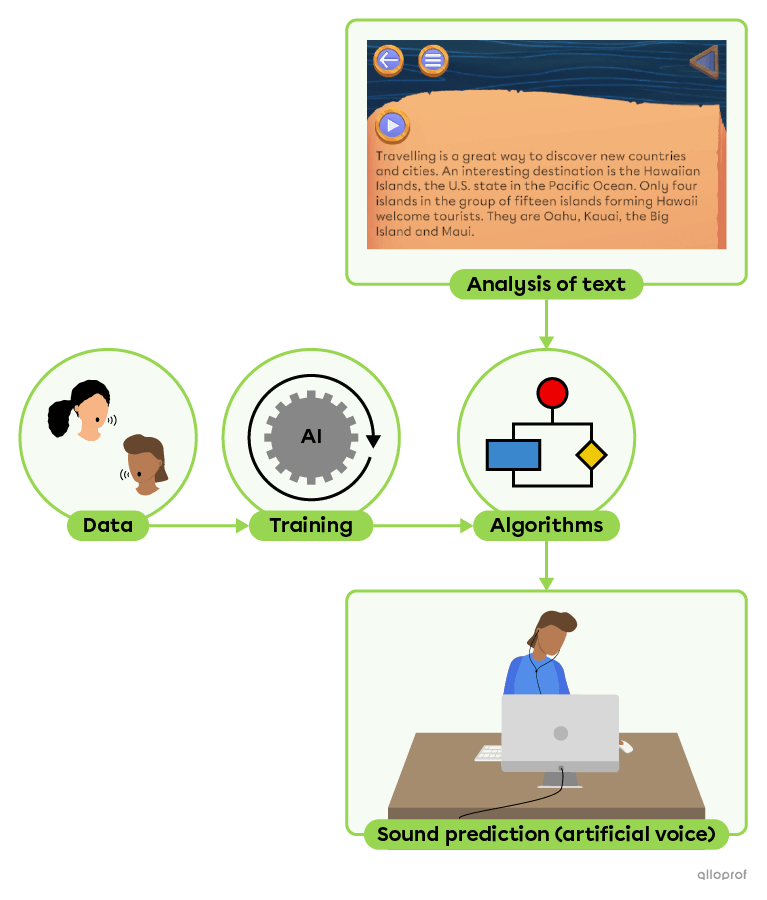
  1. A very large amount of royalty-free text and human speech data is collected.
  2. The AI uses the data to train itself to associate written text to sounds.
    For example, the AI learns that when there is a comma, the artificial voice should pause.
  3. Once trained, the AI follows algorithms.
  4. When you use text-to-speech, the AI analyzes the written text using algorithms and then predicts the sounds to generate with the artificial voice.
A diagram of how text-to-speech works in a web page.

Quick Q&A

Which Alloprof tools offer speech-to-text?

Is your voice used for AI training?

Which voices are used to train the AI?

Which Alloprof tools feature text-to-speech?

How Can These Technologies Help You?

Speech-to-text and text-to-speech are useful for everyone, but they’re especially helpful for people who have difficulty reading or writing, for all kinds of reasons. Here are a few examples:

  • Vision Impairments
    Example: Someone who is blind or has low vision can use text-to-speech to listen to the content of a web page.
  • Hearing Impairments
    Example:  A person who is deaf or hard of hearing can read automatically generated captions while watching a video.
  • Temporary or Permanent Motor Disabilities
    Example: A person with a hand injury can write text using speech-to-text.
  • Learning a New Language
    Example: Two people who do not speak the same language can communicate using translation apps that include speech-to-text and text-to-speech features.
  • Learning Disorders (Dyslexia, Dysorthography, Dyspraxia, Etc.)
    Example: Using text-to-speech, a person can hear their words as they write, which makes it easier to correct certain errors.
Elementary schoolers in class. One student has a laptop on her desk.
Source: SeventyFour, Shutterstock.com

At school, technological tools can help you learn and demonstrate your learning. They can also reduce barriers related to learning disorders and other conditions.

The most commonly used school software includes WordQ and Lexibar. WordQ offers both speech-to-text and text-to-speech. Lexibar offers only text-to-speech. These tools don’t do any of your work for you, but they can help you:

  • Increase the number of words written
  • Decode words
  • Listen to text at a pace that allows you to fully understand it

These tools also use other AI technologies to:

  • Predict the next words in a sentence
  • Detect spelling errors
     

References