Subjects
Grades
This concept sheet explains Alloprof’s smart summary tool. It shows you how to use it and how it can help you learn.
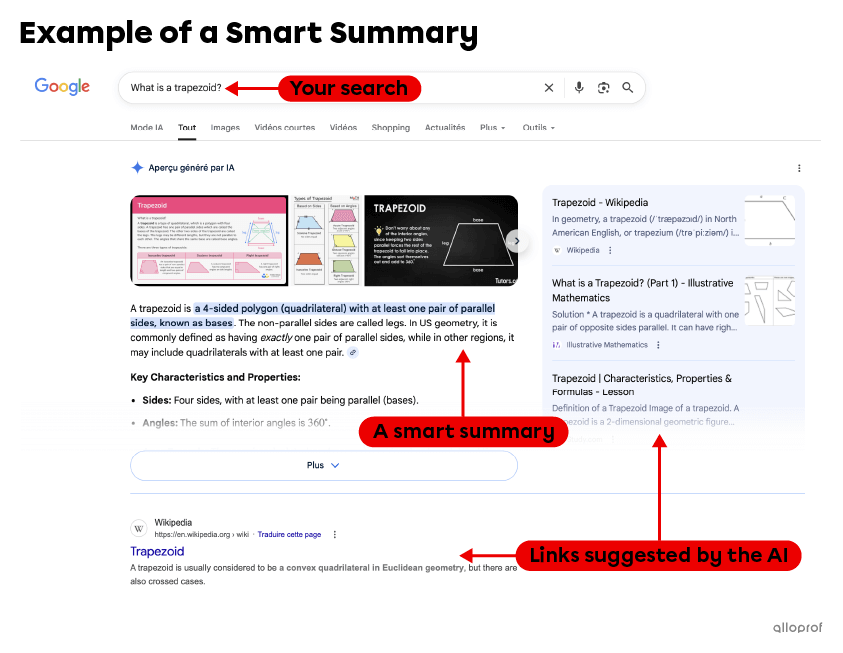
When you’re looking for information, you can ask your questions in a search engine (like Google or DuckDuckGo). The search engine answers by providing you with links to websites and generating a summary of the information it’s gathered. That summary is a smart summary, because it is written using artificial intelligence (AI).
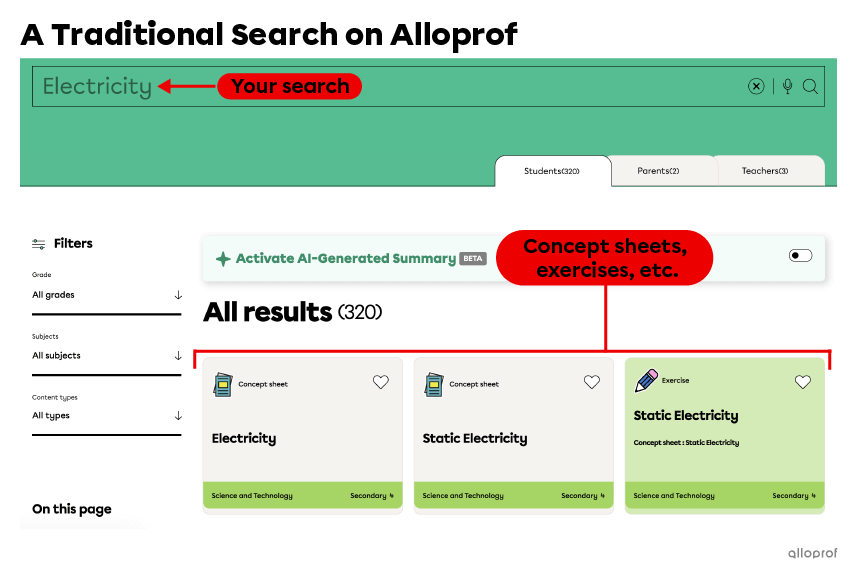
Entering keywords into the search bar on Alloprof’s website shows concept sheets, exercises, and videos created by teachers. This is an example of a traditional search that doesn’t involve a smart summary.
Now, Alloprof takes things a step further, integrating artificial intelligence (AI) into its search bar to generate smart summaries for you. To activate this feature, simply click the button to the right of the search bar. Here’s an overview.
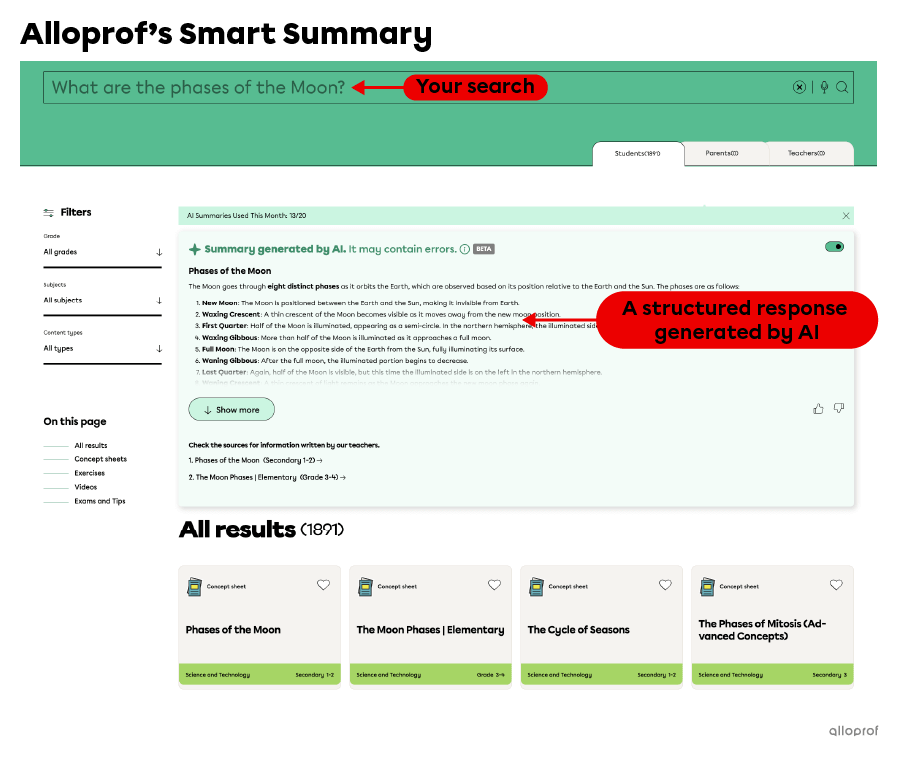
What makes this smart summary different from others is that it’s augmented by Alloprof’s resources!
When you ask a question in a search engine, a smart summary tool comes up with an answer using large amounts of information and the internet. While the internet has good sources of information, it also has incorrect information. Because of this, smart summaries can sometimes give inaccurate and irrelevant answers, or even make mistakes.
That’s why Alloprof decided to use a different type of technology.
Unlike standard smart summaries, which improve their responses by drawing on information available across the internet, Alloprof’s smart summaries are drawn directly from Alloprof’s own concept sheets.
The fact that the smart summary is mainly based on Alloprof’s content makes its answers better suited to your needs, since our content was created by teachers and is adapted to the reality of the Quebec education system.

If you’re looking for an explanation, stuck on a problem while studying, or just want to save time, ask a question in the search bar using smart summary mode. Follow these steps:
When you ask a question in smart summary mode, the AI searches Alloprof’s content to find an appropriate answer. It then generates a response in the form of a clear, structured summary. At the end, it provides the Alloprof concept sheets it used to build that response.
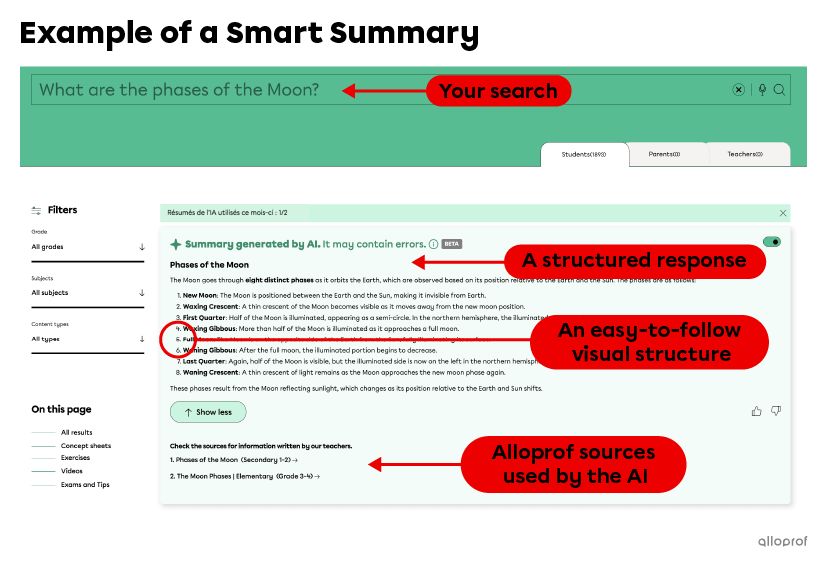
You may already be familiar with smart summaries provided by search engines like Google and DuckDuckGo. Smart summaries are a practical tool that gives you access to lots of useful information.
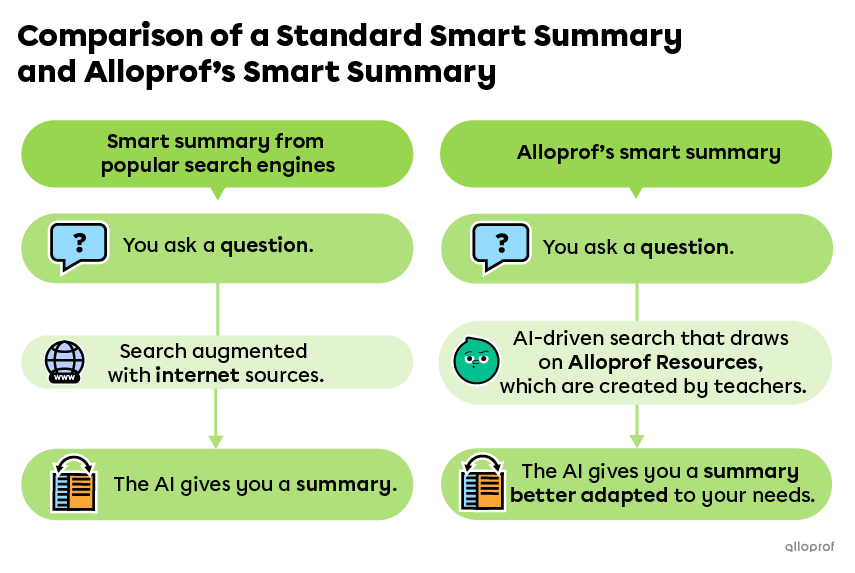
Here’s a table that compares standard smart summaries and Alloprof’s smart summary.
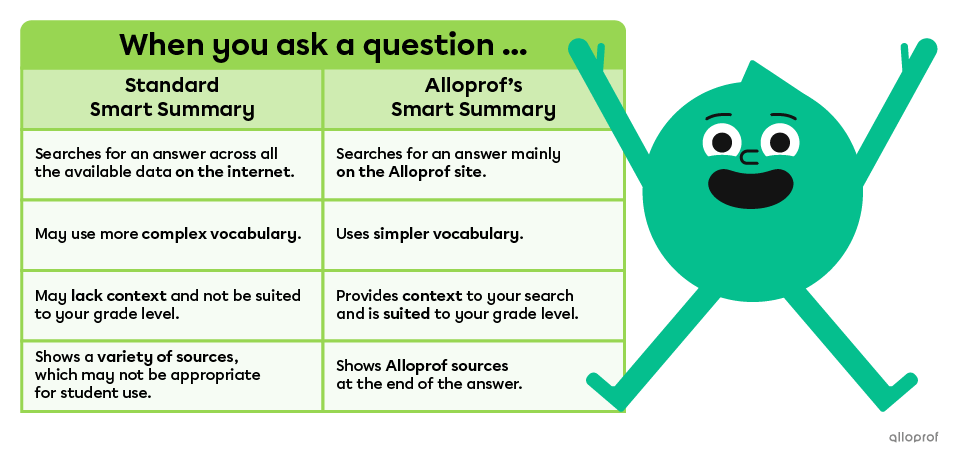
As you can see, Alloprof’s smart summary gives you an answer that’s better suited to your needs. That means it can help you study more effectively!
AI certainly isn’t perfect. Improving the AI’s capabilities with a specific source can make the answers it gives you much more reliable. It reduces possible errors, but it doesn’t prevent them completely. When you read an AI-generated answer, it’s important to be critical. Always check the sources and verify the information.
Alloprof’s smart summary uses Coveo Relevance Generated Answering (CRGA). Click here to learn more about this tool.